Blur faces in photos and videos. Before you share.
AI-powered, on-device. The privacy-first face blur app that finally gets video right.
HiddenFace detects faces in your photos and videos and lets you cover them with blur, pixelate, emoji or solid color — all without your media ever leaving your device.

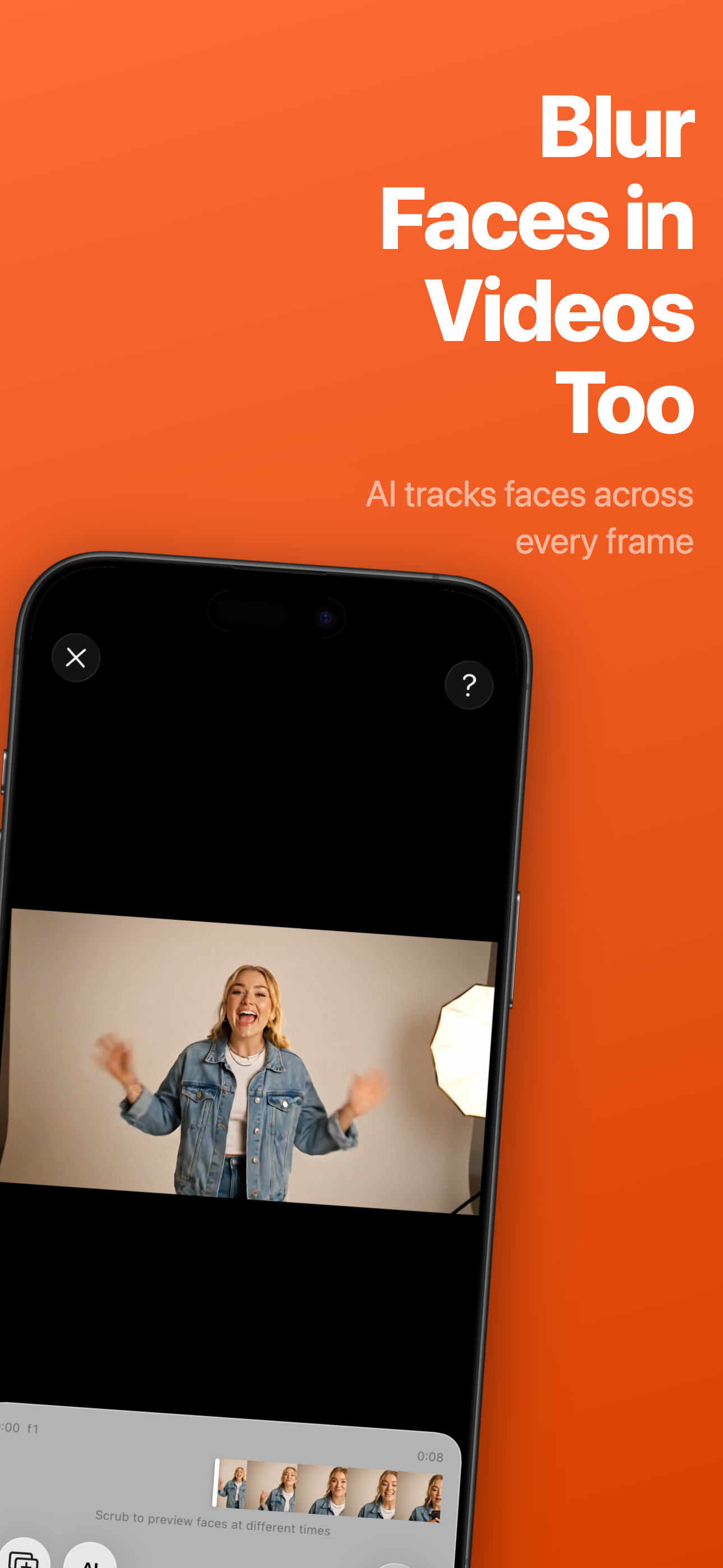
Video face blur, on-device
Faces stay covered frame by frame. No glitches, no cloud, no compromise.
Your Face is Your Most Sensitive Data
Every photo you share online exposes your facial biometric data to unknown risks
Facial Recognition Databases
Tech companies and data brokers are building massive facial recognition databases from public photos without your consent.
Children at Risk
Photos of children shared online can be scraped and used in ways parents never intended, creating permanent digital footprints.
Identity Theft
Facial data can be used for deepfakes, identity fraud, and unauthorized surveillance that follows you everywhere.
Unlike passwords, you can't change your face once it's compromised.
Powerful Protection, Simple to Use
Everything you need to cover faces in your photos and videos before sharing
Video Face Blur
Cover faces across entire videos. Each face is tracked frame by frame — no playback glitches.
AI Face Detection
On-device AI finds every face in your photos and videos in seconds.
Bulk Processing
Process many photos at once. HiddenFace groups the same face across imports for one-tap coverage.
Camera Capture
Shoot a photo and blur faces in one step — straight from inside the app.
Timeline Editor
Trim, split and keyframe video segments. Multi-track timeline with pinch-to-zoom.
Covers Your Way
Blur, pixelate, 46+ emojis or solid color. Tap anywhere to add custom areas for whatever you want to hide.
Protect Faces in 4 Simple Steps
From photo to protected share in seconds
Pick a Photo or Video
Choose from your gallery, capture from the in-app camera, or import a video
AI Detects Faces
HiddenFace instantly finds every face. On videos, each one is tracked frame by frame
Customize Coverage
Tap to toggle, switch covers, or drop custom areas anywhere. The cover follows the face automatically
Share Safely
Export your privacy-protected photo or video, ready to share
Your Privacy is Sacred
We built HiddenFace with privacy at its core, not as an afterthought
Your Photos Stay Yours
We don't collect, store, or analyze any of your photos or videos
On-Device AI
All face detection and video processing runs locally on your device. Nothing is uploaded.
No Account Required
Use HiddenFace without creating an account or signing in.
Free to Try
Use every feature for free with a small watermark on exports. Remove it whenever you like.
HiddenFace will never access, analyze, or share your photos or videos. Your privacy is not our business model.
Who Uses HiddenFace?
Privacy protection for everyone
Parents
Cover your children's faces in photos and videos before posting on social media.
Travelers
Share travel memories while respecting the privacy of strangers in the background.
Content Creators
Blur faces in photos and videos before posting, without breaking your workflow.
Professionals
Share work photos while protecting client and colleague identities.
Frequently Asked Questions
Does HiddenFace upload my photos or videos anywhere?
No. All processing happens 100% on your device — photos and videos alike. Your media never leaves your iPhone or iPad. We don't run servers that receive or store it.
Does HiddenFace work with videos?
Yes. v2.0 introduces full video face blur. Faces are tracked frame by frame, so the cover stays locked on each face throughout the clip — no playback glitches. You can also trim, split and keyframe segments in the timeline editor.
What's the difference between blur and emoji?
Blur applies a privacy-protecting blur effect, making faces unrecognizable. Emoji covers swap faces for one of 46+ emoji expressions. You can also pick pixelate or a solid color.
Does it work with group photos and videos?
Yes. HiddenFace detects every face in a single photo or video. You can choose to cover some and leave others visible — and bulk mode groups the same person across many photos for one-tap coverage.
Is HiddenFace free?
Yes — HiddenFace is a free download with every feature included. Exports made on the free plan include a small watermark. Optional in-app purchases remove the watermark; see the App Store listing for details.
What is the watermark?
A small, discreet mark added to exports on the free plan. It doesn't appear while you edit, and it's removed by any of the optional in-app purchases.
How is HiddenFace different from other face-blur apps?
HiddenFace handles photos and videos in one app, with bulk processing, in-app camera, a real timeline editor, and four cover styles (blur, pixelate, emoji, solid color). Everything runs on-device, with no account required.
Can I undo the face protection after saving?
Once you export a protected file, the cover is permanently applied to that export. Your original photo or video stays untouched in your library. Inside the app, multi-level undo/redo lets you walk back any change while editing.
Can I cover more than just faces?
Yes. Tap to drop a custom area anywhere on your photo or video — handy for things like license plates, addresses or screens with sensitive info.
What devices are supported?
HiddenFace requires iPhone or iPad running iOS 26 or later. The AI features use Apple's Neural Engine for fast, on-device performance.
Blur faces. Keep your privacy.
Download HiddenFace and cover faces in photos and videos — on-device, in seconds.